
 Oscillating Multi-Tool Blades
 Reciprocating Saw Blades
 Cutting & Grinding
 Hole Saw
 Drilling
 Sanding & Polishing
 Socket & Driver Set
 Hand Tools
 Metal Worker & Fabrication
 Woodworking & Carpentry
 Electrical & Plumbing
 Automotive
 Concrete & Masonry
 Demolition
 NEW ARRIVALS
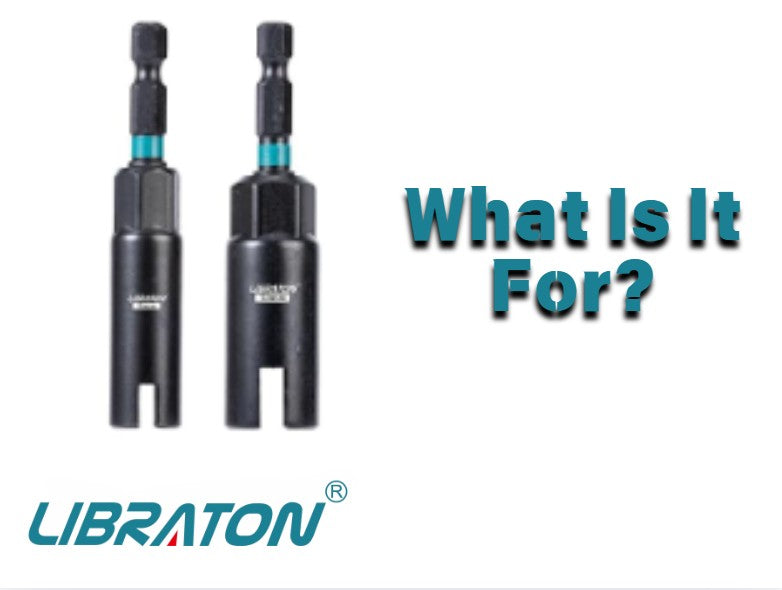
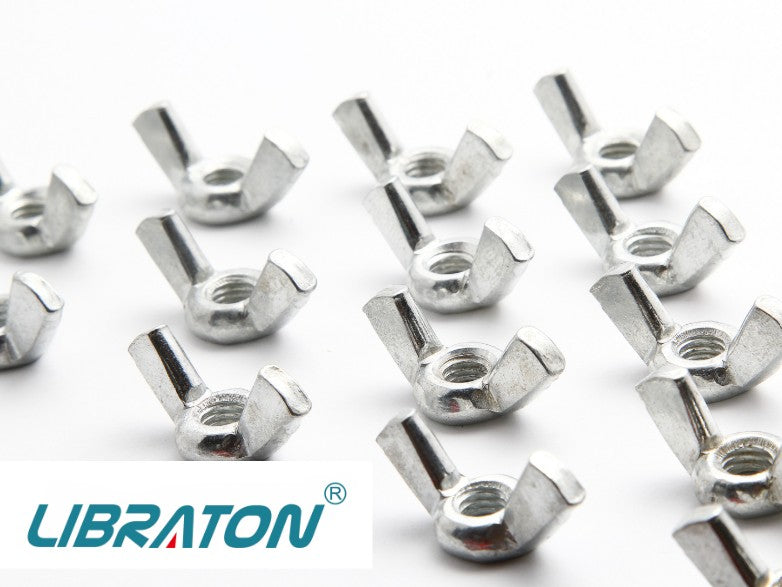
Wing nuts look simple. However, tightening them by hand is inconvenient with multiple fasteners. A wing nut driver provides a powered option.
So, what is a wing nut driver, and when would you use one?
A wing nut driver engages compatible wing nuts using a power tool. It is useful for repetitive fastening tasks.
Learn how a wing nut driver bit works and when to use it. This helps you decide if it belongs in your toolbox.
- What Is a Wing Nut Driver?
- How Does a Wing Nut Driver Work?
- What Is a Wing Nut Driver Used For?
- What Is a Wing Nut Driver Bit?
- Wing Nut Driver vs. Standard Nut Driver
- Can You Use a Wing Nut Driver With a Drill?
- How to Use a Wing Nut Driver
- Are Wing Nut Drivers Useful for DIY Projects?
- Wing Nut Drivers in a Multi-Accessory Kit
- What About Impact Drivers?
- Tips for Using a Wing Nut Driver
- Final Thoughts
What Is a Wing Nut Driver?
A wing nut driver is a specialized fastening accessory designed for compatible wing nuts.
Standard nut drivers fit external hex shapes. A wing nut driver is shaped to engage the wings of a wing nut.
The accessory transfers rotation from a power tool to the wing nut. This avoids manual turning.
Design and compatibility depend on the specific driver. Check the manufacturer's specifications before use.
How Does a Wing Nut Driver Work?
The basic setup is straightforward:
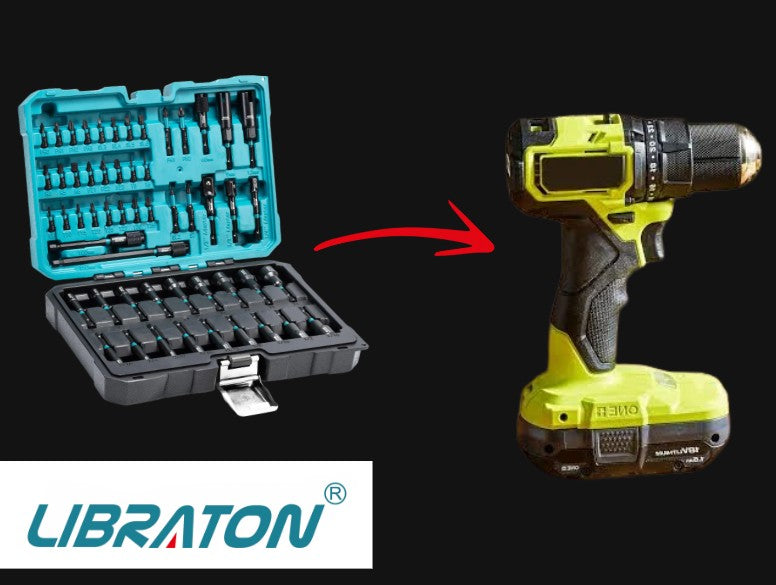
Power Tool → Wing Nut Driver → Compatible Wing Nut
The wing nut driver is secured in a compatible drill chuck, holder, or other specified tool interface. Its working end then engages the wing nut.
When the tool rotates, the driver transfers that motion to the fastener.
Before operating the tool, make sure the wing nut is properly engaged with the driver. A poor fit can make the accessory slip or fail to turn the fastener effectively.
As with other powered fastening accessories, start at a controlled speed rather than immediately applying maximum power.
What Is a Wing Nut Driver Used For?
A wing nut driver is primarily useful for tightening or loosening compatible wing nuts.
Wing nuts are usually turned by hand. Some projects involve many wing nuts where powered tools are more convenient.
Potential applications can include:
- Repetitive assembly work
- Workshop projects
- Equipment setup
- Maintenance tasks involving compatible wing nuts
- DIY projects using wing-nut fasteners
The suitability depends on the particular wing nut, driver, tool, and application.
A wing nut driver is therefore a specialized accessory rather than a universal replacement for standard nut drivers.
What Is a Wing Nut Driver Bit?
A wing nut driver bit is generally designed for use with a compatible power tool.
The "bit" portion connects to the tool, while the working end is shaped to engage the compatible wing nut.
Check the tool-side connection and wing-nut compatibility before buying. A fit for the drill does not ensure wing nut compatibility.
The dimensions and intended fastener compatibility should come from the manufacturer's specifications.
Wing Nut Driver vs. Standard Nut Driver
A wing nut driver and a standard nut driver are designed for different fastener shapes.
A standard nut driver is intended to fit around a compatible hex fastener. A wing nut driver is designed around the shape of a compatible wing nut.
This distinction matters because the working end needs to engage the fastener correctly.
A standard nut driver is not always an appropriate substitute. This is true when the geometry lacks proper engagement.
Do not treat a wing nut driver as a general-purpose tool. Only do so if the manufacturer indicates support for other fasteners.
Can You Use a Wing Nut Driver With a Drill?
A compatible wing nut driver can be used with a drill when the driver is designed for that tool interface.
A wing nut driver with a compatible shank fits a drill. It can then rotate compatible wing nuts.
Always check the specifications for the particular accessory and drill.
The fact that an accessory physically fits into a chuck does not establish that every application is suitable. The fastener size, driver design, tool interface, and operating conditions all matter.
How to Use a Wing Nut Driver
Using a wing nut tool is relatively simple when the components are compatible.
1. Check the fastener
Make sure the wing nut is compatible with the driver. The working end should engage the wings properly.
2. Install the driver
Secure the wing nut driver in the compatible drill chuck or holder.
Make sure it is properly seated before operating the tool.
3. Engage the wing nut
Position the driver over the wing nut and make sure the working end is properly engaged.
4. Start slowly
Use a controlled speed when beginning to tighten or loosen the fastener. This makes it easier to maintain engagement.
5. Stop when appropriate
Do not drive a wing nut past its intended position. For specific torque, use a torque-controlled tool instead of a drill.
Are Wing Nut Drivers Useful for DIY Projects?
They can be, particularly if your projects involve multiple compatible wing nuts.
For someone who only encounters an occasional wing nut, manually turning it may be perfectly adequate. But if you repeatedly install or remove compatible wing nuts, a wing nut driver can make the process more convenient.
This is one reason specialized accessories can be useful additions to a broader collection of DIY tools. You do not need every type of driver. Instead, choose accessories based on the fasteners you actually encounter.
Wing Nut Drivers in a Multi-Accessory Kit
The LIBRATON 54-Piece Nut Driver Set includes wing nut drivers. It also has magnetic drivers and socket adapters.
Having different fastening accessories in one kit can be convenient when a project involves several types of fasteners.
Each accessory has its own application. Use wing nut drivers for wing nuts and standard drivers for hex fasteners.
Check product specifications for compatibility. Do not assume all accessories in a set are interchangeable.
What About Impact Drivers?
A compatible shank does not mean a wing nut driver is suitable for an impact driver.
Verify that the accessory is rated for impact applications. A physical fit alone does not establish impact compatibility.
For a standard drill, follow the manufacturer's instructions for the driver and the tool.
Tips for Using a Wing Nut Driver
A few basic habits can help you use the accessory more effectively.
First, make sure the driver properly engages the wing nut before applying power. Keep the tool aligned with the fastener rather than applying sideways pressure.
Start at a controlled speed and stop if the driver slips. Continuing to operate a slipping accessory can damage the fastener or accessory.
Inspect the driver periodically for visible damage or excessive wear. Replace it if the working end can no longer engage the fastener properly.
Most importantly, use the driver only for fasteners and applications covered by its specifications.


Final Thoughts
A wing nut driver makes working with compatible wing nuts more convenient. Use it with a power tool instead of your hands.
The main difference is the fastener they engage. Standard drivers fit hex fasteners, while wing nut drivers fit wing nuts.
A wing nut driver bit is useful for DIY projects. Verify compatibility between the driver, power tool, and fastener.

Leave a comment
This site is protected by hCaptcha and the hCaptcha Privacy Policy and Terms of Service apply.