
 Oscillating Multi-Tool Blades
 Reciprocating Saw Blades
 Cutting & Grinding
 Hole Saw
 Drilling
 Sanding & Polishing
 Socket & Driver Set
 Hand Tools
 Metal Worker & Fabrication
 Woodworking & Carpentry
 Electrical & Plumbing
 Automotive
 Concrete & Masonry
 Demolition
 NEW ARRIVALS
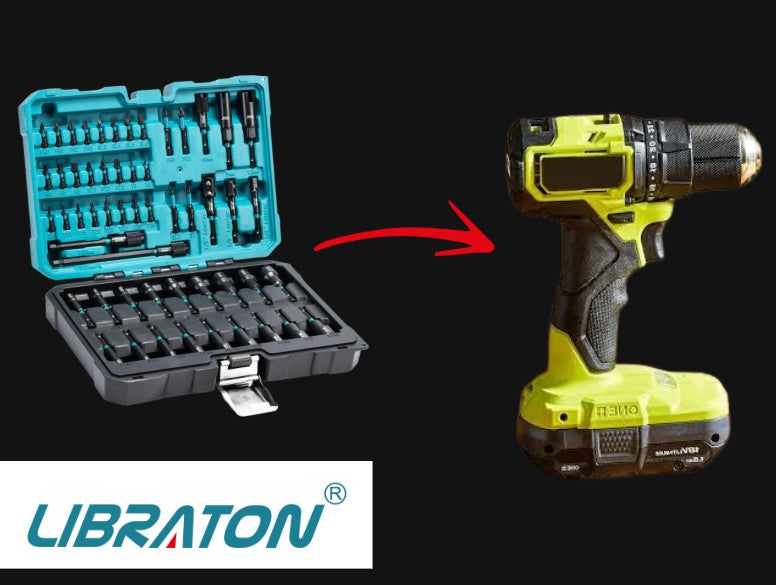
A cordless drill is very versatile. It does more than drill holes or drive screws. With the right accessory, you can use compatible sockets for various tasks. A socket adapter connects the drill's chuck to a socket. This lets one tool work with different socket sizes.
Using a socket adapter is straightforward. However, choosing the right adapter and controlling the drill properly matter. This setup helps you work more efficiently. It is useful for assembling furniture or handling maintenance tasks.
- What Is a Socket Adapter?
- What Do You Need?
- How to Use a Socket Adapter With a Cordless Drill
- When Should You Use a Socket Adapter for Drill Applications?
- Can You Use Any Socket Adapter With a Cordless Drill?
- Socket Adapter Sizes: What Do They Mean?
- Tips for Safer, More Controlled Use
- Make Your Cordless Drill More Versatile
- Final Thoughts
What Is a Socket Adapter?
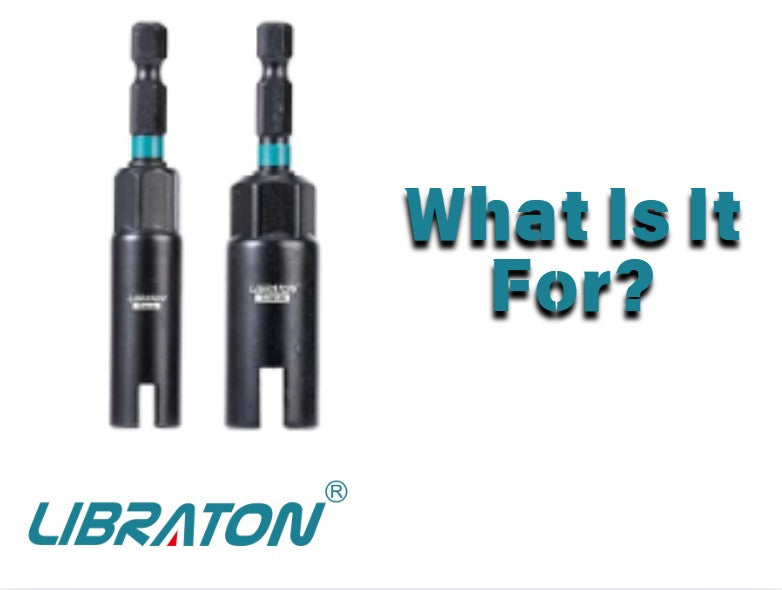
A socket adapter connects a power tool to a socket. It uses a compatible hex interface and drive size. One end fits the drill's chuck. The other end connects to a socket.
The basic setup looks like this:
Cordless drill → socket adapter → compatible socket → fastener
Adapters come in sizes like 1/4-inch, 3/8-inch, and 1/2-inch. Drive size refers to the socket connection. It does not indicate torque limits. It also does not show if it is for heavy-duty work.
For a cordless drill socket adapter setup, check all parts. Ensure the interface, adapter, socket, and application are compatible before use.
What Do You Need?
Using a socket adapter with a cordless drill does not require complicated equipment. You generally need:
- A cordless drill with a compatible chuck or quick-change interface
- The appropriate socket adapter
- A compatible socket
- The correct socket size for the fastener
- A charged battery
For example, an adapter with a 1/4-inch hex interface can be used with a compatible drill chuck or quick-change chuck. The opposite end is selected according to the socket drive size you need.
A multi-piece kit adds flexibility. It provides several adapter sizes, nut drivers, and screwdriver bits. This is useful when a project involves different types of fasteners.
How to Use a Socket Adapter With a Cordless Drill
1. Choose the Correct Socket
Start by identifying the fastener you need to tighten or remove. Select a socket that fits the fastener correctly.
The socket should sit fully on the fastener rather than resting loosely on its edges. Using the wrong size can make fastening less controlled and may damage the fastener or socket.
Once you know the required socket drive size, choose the corresponding socket adapter.
2. Insert the Adapter Into the Drill
Open the drill chuck and insert the adapter's hex shank. Tighten the chuck securely according to the drill manufacturer's instructions.
If you are using a quick-change chuck, make sure the adapter is fully seated before operating the tool.
A properly seated socket adapter for drill applications provides the connection needed between the drill and socket. However, compatibility should always be checked rather than assumed simply because the accessory fits physically.
3. Attach the Socket
Connect the appropriate socket to the adapter's drive end.
Check that the socket is properly connected before switching on the drill. Ensure the combination is appropriate for the task. Check each connection if you use an extension.
For a quick-release holder or similar accessory, make sure the compatible bit or accessory is fully seated before use.
4. Set the Drill Correctly
Select the appropriate direction on the cordless drill.
For tightening, use the forward setting. For loosening, use reverse.
If your drill has adjustable speed or clutch settings, choose a controlled setting appropriate for the application. Starting slowly gives you more control and makes it easier to observe how the fastener responds.
This is important when using a socket adapter. The drill applies rotational force faster than a manual ratchet.
5. Start Slowly
Place the socket squarely over the fastener before activating the drill.
Begin at a low, controlled speed. Avoid immediately squeezing the trigger fully, especially when you are working with an unfamiliar fastener or material.
Ensure the socket is properly engaged. Once the fastener moves as expected, continue at a controlled speed.
For removal, a seized or corroded fastener may require a different approach. If the fastener does not move normally, stop rather than repeatedly applying force with the drill.
6. Finish the Fastening by Hand When Appropriate
A cordless drill quickly drives or removes fasteners. However, it is not always the best choice for final tightening.
Follow manufacturer instructions for required tightening force. Do not treat clutch settings as precise torque measurements. Only use them if the tool is specifically calibrated.
The socket adapter simply provides the connection. The adapter's drive size does not establish the torque capacity or heavy-duty suitability of the entire setup.
When Should You Use a Socket Adapter for Drill Applications?
A socket adapter is useful for using compatible sockets with a cordless drill. This avoids operating a socket manually.
Common examples include:
Furniture Assembly
Furniture projects often involve many bolts and nuts. A cordless drill with the right socket speeds up repetitive fastening. Ensure the setup follows manufacturer instructions.
Home Maintenance
Small maintenance jobs involve different fastener sizes. Having several sockets and adapters makes switching easier. You can change tasks without changing the main power tool.
Garage Projects
A cordless drill socket adapter is useful for light-duty tasks. Ensure the drill, adapter, socket, and fastener are all matched.
DIY Repairs
DIY projects often use screws, nuts, and bolts. A versatile setup lets one drill handle different operations. Ensure each accessory is suitable for the application.
Can You Use Any Socket Adapter With a Cordless Drill?
Not necessarily.
The physical connection is only one part of compatibility. Before using a socket adapter, check the interface of the drill, the adapter, and the socket. You should also consider the fastener size and the requirements of the application.
Do not assume an adapter is impact-rated just because it fits. The adapter and socket must be specifically rated for impact use.
For standard cordless drill use, follow the manufacturer's guidance for the drill and accessories. If the product documentation only confirms compatibility with drills and quick-change chucks, keep your application within those stated conditions.
Socket Adapter Sizes: What Do They Mean?
Multi-size adapter sets are very useful. They connect different socket drive sizes to a power tool interface.
For example, a set may include adapters for 1/4-inch, 3/8-inch, and 1/2-inch-drive sockets. This lets users select a compatible socket connection according to the job.
However, remember that drive size describes the socket connection. A 1/2-inch adapter does not automatically mean the setup is intended for larger fasteners, higher torque, or heavy-duty applications.
Always consider the complete tool and accessory combination rather than judging suitability from drive size alone.
Tips for Safer, More Controlled Use
A few simple habits can make using a socket adapter with a cordless drill more controlled:
- Make sure the socket fits the fastener correctly.
- Confirm the adapter is fully seated in the drill chuck.
- Keep the socket aligned with the fastener.
- Start at a controlled speed.
- Avoid excessive force if a fastener is seized.
- Follow the drill manufacturer's operating instructions.
- Check accessory ratings before using them with an impact tool.
- Use the shortest suitable setup when access allows.
- Inspect the adapter and socket for visible damage before use.
If an extension holder is needed to reach a recessed fastener, choose the shortest compatible extension that provides adequate access. Longer connections can be useful when an obstacle prevents direct access, but the setup should remain controlled and properly seated.
Make Your Cordless Drill More Versatile
The right accessories make a cordless drill more flexible. Use a socket adapter for nuts and bolts. Use other accessories for screws and different requirements.
Versatile kits are convenient for home and garage tasks. A range of adapters matches 1/4-inch, 3/8-inch, or 1/2-inch sockets. You will not need a separate tool for each size.
The LIBRATON 54-piece set combines nut drivers, bits, adapters, and extension holders. Extension holders provide extra reach. They help access recessed or obstructed fasteners.
The key is to treat every component as part of a complete system. Check the drill interface, accessory connection, socket size, fastener, and application before starting the job.


Final Thoughts
A socket adapter expands the tasks your power tool can handle. Select the correct socket and connect it through the adapter. Secure it in the drill and use controlled speed.
These adapters are great for DIY and furniture assembly. Compatibility should not be based on appearance alone. Check tool specifications and verify impact ratings before use.
With the right setup, a socket adapter for drill applications makes a drill more versatile.

Laisser un commentaire
Ce site est protégé par hCaptcha, et la Politique de confidentialité et les Conditions de service de hCaptcha s’appliquent.